
Set up SAJ Elekeeper monitoring
See your home energy system in one place. In Elekeeper, a “plant” is the record for your installation.
Before you start
For homeowners using Elekeeper. Screens vary by app version. Have your installation email and device serial number ready.
Follow these steps
- 1
Check your account
If Ackwire has already provided an account or plant, use it. Ask us if you are unsure before creating another plant.
- 2
Register as an owner
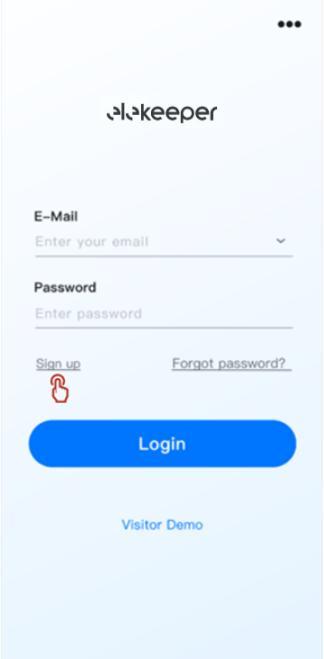
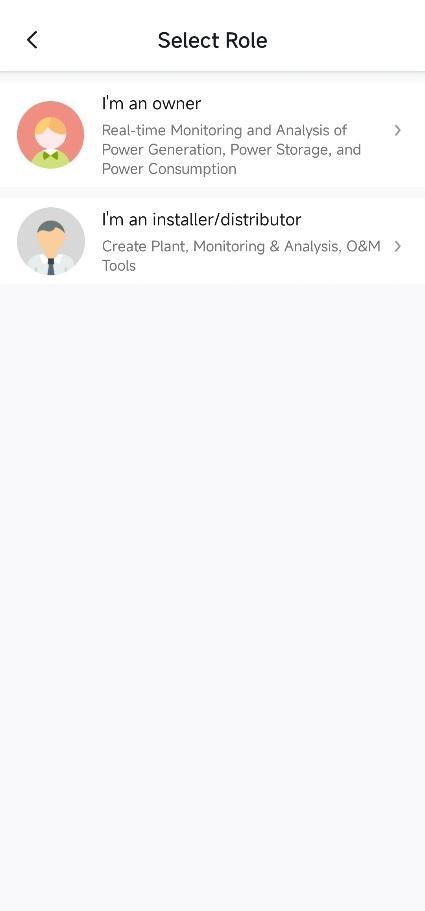
Install Elekeeper using SAJ’s official app links. Open Sign up, choose I’m an owner and complete the registration fields. Log in.
- 3
Add your plant if needed
On Home, open the plant switcher and choose Add. Name the plant, select the device type, scan or enter its serial number and tap +.
- 4
Complete the details
Enter the plant details requested, including country, time zone and address. Use your installation documents for capacity and system type; ask Ackwire if unknown. Create the plant.
- 5
Check monitoring
Open Home to view operating status and energy flow. If your system is missing or offline, send us a screenshot and the device serial number.
Official sources & version information
SAJ Elekeeper user manual V3.0, 8 March 2025 ↗Checked 11 November 2026. Match the guide to your model and app version.